Docker interview preparation should connect commands to the behavior they cause. Being able to say that a container stopped because its main process exited is more useful than memorizing a command without understanding what it changes.
Short answer: Explain images, containers, builds, networking, persistence and failure diagnosis, then connect them to a small application. These twenty-five questions cover practical concepts rather than a claimed transcript from a named employer.
Verification: We checked current official Docker documentation for this guide on 27 October 2026. Command snippets are illustrative documentation-based examples; we did not run a Docker daemon or deploy the example in this article.
Images, containers and processes
1. What is a Docker container?
A container runs an application process in an isolated environment with its configured filesystem, networking and resource controls. It is not simply a complete virtual machine with a separate kernel. The platform matters: Linux containers on Docker Desktop commonly run inside a managed Linux virtual machine. Source: Docker concepts.
2. What is the difference between an image and a container?
An image is the packaged template used to create a container. A container is a running or stopped instance with runtime configuration and a writable layer. Multiple containers can start from the same image while having different environment settings, mounts or published ports.
3. Why can a container exit immediately?
The container normally ends when its main process exits. A successful short command can therefore create a container that stops normally. For an unexpected exit, inspect the exit code and logs, then check the command, configuration and required dependencies instead of assuming detached mode keeps a process alive.
4. What does detached mode do?
The -d option runs the container in the background rather than attaching the terminal to its output. It does not repair a failing process, guarantee readiness or keep a completed process running. Use logs and inspection to understand the actual state.
5. Are image tags immutable?
No. A tag is a name that can point to a different image later. A digest identifies particular image content. Pinning a digest can improve reproducibility, but you still need an update process to receive intentional fixes and confirm platform compatibility.
Dockerfile and build questions
The answers in this section use the official Dockerfile reference. Explain the effect of an instruction, not only its syntax.
6. What is a Dockerfile?
A Dockerfile describes how to build an image, including a base image, files, build steps and default runtime settings. It is not the same as the command that creates and configures a running container. Runtime mounts, environment values and port publishing may be supplied separately.
7. How are RUN, CMD and ENTRYPOINT different?
RUN executes during image construction. CMD supplies a default command or default arguments. ENTRYPOINT defines the executable-style entry point, often combined with CMD for defaults. Explain how runtime arguments can override defaults and how the chosen shell or exec form changes behavior.
8. Why does exec form matter?
Exec form expresses the executable and arguments as an array, for example CMD ["node", "server.js"]. Shell form introduces a shell, which can change expansion and signal behavior. Do not assume a shell-form wrapper forwards shutdown signals to the application correctly.
9. What is the build context?
It is the set of files available to the builder for that build. COPY reads from the permitted context or a specified stage, not arbitrary files elsewhere on your computer. A large context can also send unnecessary material to the builder.
10. Why use .dockerignore?
It excludes matching files from the build context. Typical candidates include local dependencies, Git data, logs and secrets that are not needed for the build. It can reduce context size and accidental inclusion, but it is not a substitute for reviewing what the Dockerfile copies.
11. How does build caching affect a Dockerfile?
The builder can reuse results when the relevant instruction and inputs are unchanged. Arrange stable dependency installation separately from frequently changing source where appropriate. Do not assume caching corrects an incomplete dependency definition or guarantees that external downloads never change.
12. What is a multi-stage build?
It uses multiple stages so you can build in one environment and copy selected outputs into another. This can keep build tools out of the runtime image. It does not automatically make the application secure; review the base, copied files, user and runtime requirements.
13. How should build secrets be supplied?
Use an appropriate build-secret mechanism, such as a BuildKit secret mount, rather than baking credentials into a layer. Ordinary ARG or ENV values are not a general secret-storage solution. Also avoid copying a secret into the final output after reading it. Source: Dockerfile secret mounts.
Networking and storage
14. Does EXPOSE publish a port?
No. EXPOSE documents a container port in image metadata; publishing is a separate runtime action. For example, -p 127.0.0.1:8080:80 maps host loopback port 8080 to container port 80. The process must also listen on an appropriate interface inside the container.
15. What does localhost mean inside a container?
It refers to that container's own network environment. It does not automatically refer to another container or to the host. In a Compose network, applications commonly reach another service using its service name and container port, subject to the configured network.
16. What is the difference between a volume and a bind mount?
A Docker-managed volume provides persistent storage managed by Docker. A bind mount exposes a specified host path inside the container. Bind mounts can be useful for development, but host paths, permissions and accidentally obscured container files need attention. Source: Docker volumes.
17. Does removing a container remove all its data?
Its writable container layer is removed, while separately managed persistent storage has its own lifecycle. Do not assume that removing a container deletes a named volume, or that every cleanup command preserves one. Read the options before performing a destructive cleanup.
18. Why can a mounted directory hide files from the image?
A mount makes the mounted content visible at that path, obscuring existing container files beneath it while the mount is present. If expected application files disappear, inspect the mount configuration before rebuilding the image repeatedly.
Compose, readiness and operations
19. What is Docker Compose?
Compose defines and runs a multi-service application using a configuration describing services, networks, volumes and related settings. Modern usage commonly uses the docker compose command. It is different from a Dockerfile: the Dockerfile builds an image; Compose describes how services are run together.
20. Does depends_on mean a database is ready?
Not by itself. Startup ordering and application readiness are different. Compose can wait for a dependency's health check with the appropriate service_healthy condition. The application should still handle temporary dependency failures and reconnection. Source: Compose startup order.
21. What is a health check?
It runs a configured check to report container health. The check should reflect something meaningful about the service. A container being alive, a port being open and the application being ready to serve its intended workload are different conditions. Health status alone is not a universal restart policy.
22. How do you investigate a failing container?
Start with its state, exit code and logs. Check the actual command, environment, mounts, ports and dependency reachability. Compare observed behavior with the expected process. Avoid using privileged mode or disabling controls as a default debugging response.
docker ps -a
docker logs your-container
docker inspect your-container
These are inspection examples using a container name you supply. Inspect output can contain environment values, so do not publish it without checking for sensitive information.
23. Why run as a non-root user?
It can reduce what a compromised application process is permitted to do inside its environment. Configure required file ownership and permissions deliberately. Non-root execution is one control, not proof of complete isolation or a secure application.
24. What happens during a graceful stop?
Docker sends the configured stop signal and allows a grace period before forcing termination if needed. The application and any wrapper must handle or forward signals appropriately. Test shutdown behavior for the workload rather than assuming every process cleans up automatically.
25. How do you make an image reproducible and maintainable?
Use intentional base versions or digests, dependency lockfiles where applicable, a limited context and a clear build. Keep runtime configuration separate from image content. Then maintain an update and verification process; reproducibility should not mean freezing known problems forever.
How should you practice these answers?
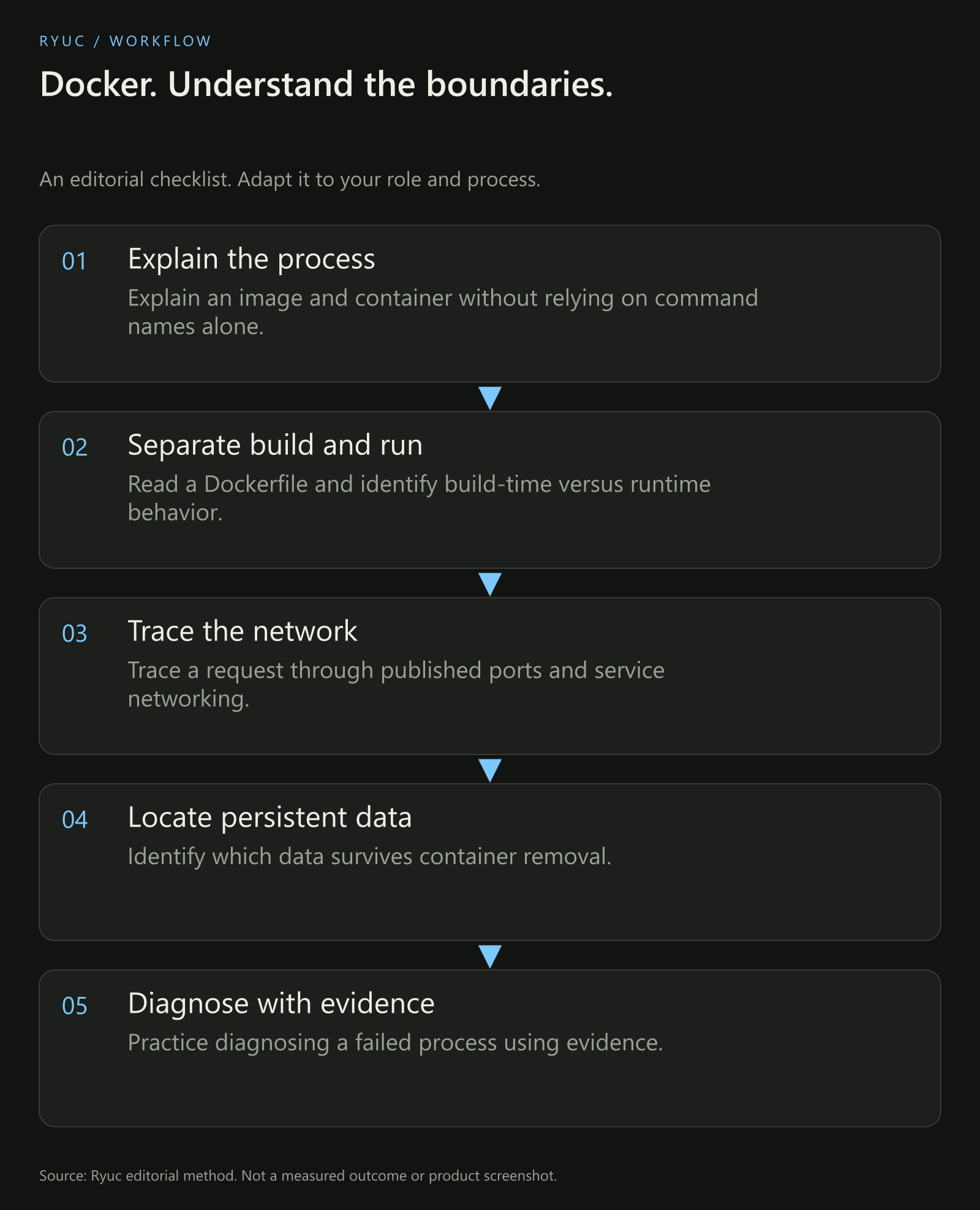
Original concept map. The examples in this article were checked against documentation, not executed on a Docker daemon.
Pick a small application and explain each boundary: what is built into the image, what is supplied at runtime, where data persists and how the process is reached. Then describe a failure and the evidence you would inspect.
If you use Docker in a project, be ready to discuss the setup you actually used. Do not claim production experience from running one development container. For interview delivery, our mock-practice guide can help you rehearse explanations and follow-ups.
Your next steps
- Explain an image and container without relying on command names alone.
- Read a Dockerfile and identify build-time versus runtime behavior.
- Trace a request through published ports and service networking.
- Identify which data survives container removal.
- Practice diagnosing a failed process using evidence.
Download the Docker interview checklist.
Frequently asked questions
Do I need to memorize every Docker command?
No. Understand the main lifecycle and how to look up exact options. Interviewers can ask about commands, but explaining the state change and its consequences is more useful than reciting syntax without context.
Is Docker Compose the same as Kubernetes?
No. They are different tools with different operating models. Explain the scope of the system you have used rather than presenting one as a drop-in equivalent of the other.
Were these questions verified as a company's 2026 interview list?
No. They are an editorial study set checked against official documentation. The actual interview depends on the role, employer and your stated experience.