Searching for JobStep.io auto apply jobs can create an expectation that the service will submit applications while you do something else. Its current public page needs a more careful reading: matching jobs, preparing documents and submitting an application are different actions.
Short answer: The official page we reviewed clearly describes resume improvement, job matching, tailored application documents and tracking. It did not establish an unattended submission workflow. Confirm that specific capability before buying a service for automatic applications.
What we verified: We reviewed JobStep's English public page on 27 October 2026. We did not purchase a plan, inspect an authenticated dashboard or submit applications. This article separates visible product claims from a capability we could not verify.
What does JobStep.io currently describe?
The reviewed site presents resume scoring, AI feedback, job suggestions, tailored resumes, cover letters and an application dashboard. It says users can review and export documents. That supports describing it as an application-preparation platform. Source: JobStep.
It does not, by itself, establish that the platform signs into employer systems and submits completed applications without review. Third-party descriptions may use auto apply more broadly, so check the exact action the product performs.
What are the different meanings of auto apply?
There are at least four distinct tasks: finding a role, tailoring a document, filling a form and submitting it. A product may automate one or several of them.
Ask whether you must open each posting, answer screening questions, approve the final content or press submit. Also ask how the service handles employer-specific declarations, work authorization and duplicate applications. These are important details, not minor variations of the same feature.
For a broader explanation of permissions and multi-step automation, read our agentic hiring guide.
How should you verify the claim before paying?
Ask the vendor to demonstrate the workflow on a suitable example. Identify the starting input, each required user action and the evidence that an application was actually received.
An application listed in a dashboard may be a draft, a tracked opportunity or a submitted form. Request a clear definition of each state. A generated cover letter is useful, but it is not a submission receipt.
Do not supply credentials or sensitive declarations just to resolve a marketing ambiguity. Establish what access the service needs and how you can revoke it before authorizing actions on your behalf.
What can document tailoring usefully do?
It can help organize truthful experience around a role's requirements. A student might make a relevant project easier to understand, or an experienced applicant might emphasize a directly related responsibility.
Review every change. A keyword match should not introduce a skill you lack, inflate your responsibility or imply a certification you have not earned. You must be able to discuss the final document in an interview.
Our internship interview guide shows how to explain academic and project evidence without pretending it is professional experience.
How should you interpret the usage and outcome figures?
The reviewed page reports 120,000-plus users and an average threefold increase in replies. These are vendor claims. We did not independently verify the population, comparison, time window or calculation behind them. Source: JobStep homepage.
A larger account count does not prove that the product will improve a particular applicant's results. Compare your own application quality and relevant responses rather than equating more generated documents with progress.
What would a careful application workflow look like?
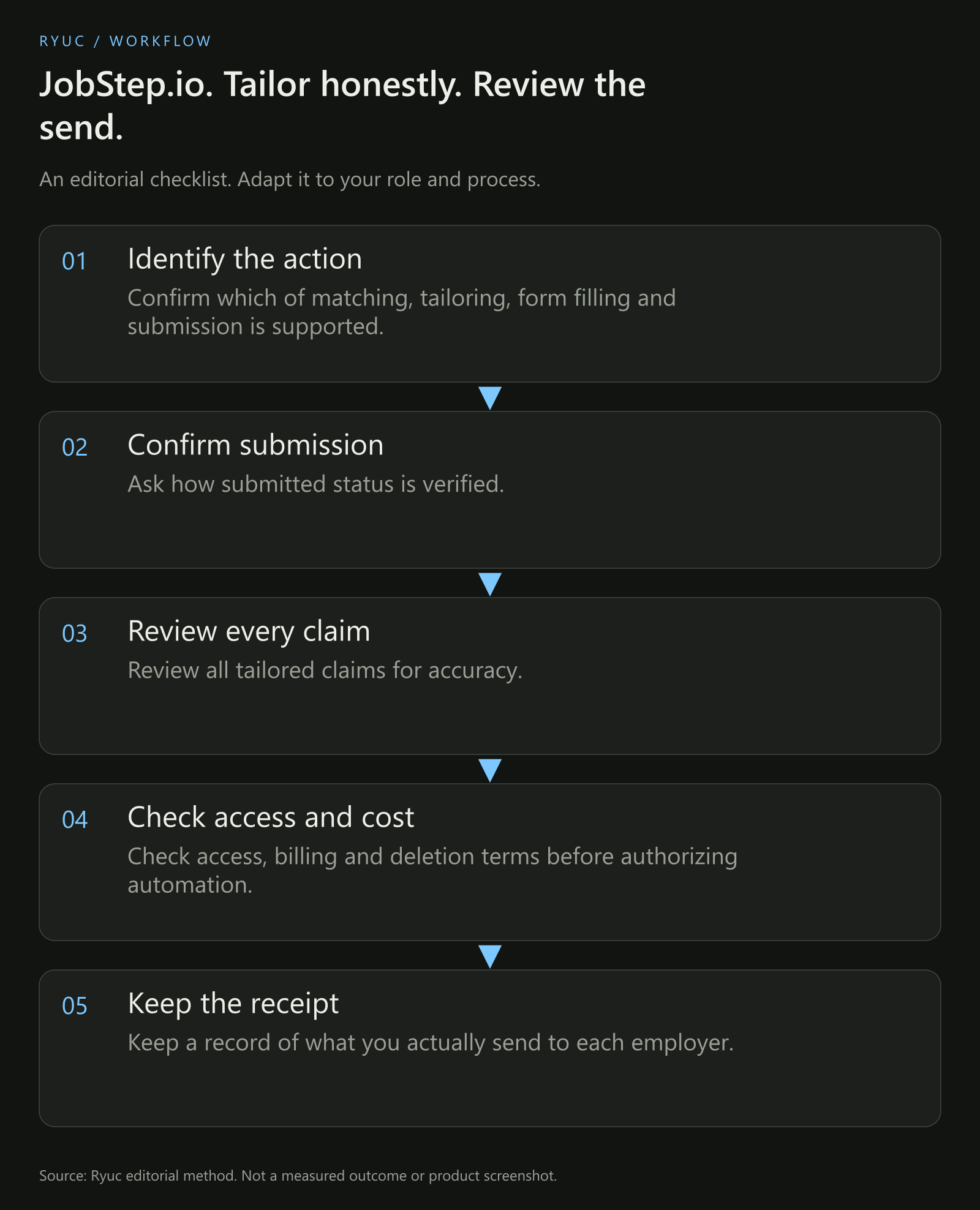
Our proposed workflow. It does not claim that JobStep implements every action shown.
Choose a role you genuinely want and check its requirements. Prepare a truthful tailored document. Review the application questions yourself. Submit through an authorized route, then preserve the confirmation and the version of the material you sent.
This makes later preparation easier. When a recruiter calls, you can review the actual role and application instead of trying to reconstruct which version of your resume went where.
What should you check about pricing and data?
Read the current checkout for the total billing commitment, renewal and cancellation. A monthly equivalent on a longer plan is not necessarily the amount charged each month.
Check what information the platform retains, what is sent to AI providers and how deletion works. A resume can contain contact details and other personal information, so start an evaluation with an appropriate minimal document.
This article does not independently audit JobStep's security or privacy claims. Read the official privacy page and ask questions relevant to your use before uploading sensitive material.
Your next steps
- Confirm which of matching, tailoring, form filling and submission is supported.
- Ask how submitted status is verified.
- Review all tailored claims for accuracy.
- Check access, billing and deletion terms before authorizing automation.
- Keep a record of what you actually send to each employer.
Download the application-automation checklist.
Frequently asked questions
Does the current public page prove JobStep auto-submits jobs?
No. It establishes several preparation and matching features, but we could not verify unattended submission from that page. Ask the vendor to demonstrate the exact workflow if automatic submission is the feature you need.
Is resume tailoring the same as beating every ATS?
No. Clear structure and relevant truthful content can improve an application document, but no general guarantee follows for every employer system or decision. An applicant still needs to meet the role's requirements.
What should I do after getting an interview?
Review the submitted resume, the role and your real examples. Prepare to explain your contribution and decisions. Our questions to ask at the end of an interview can help you investigate the opportunity too.